A PNG file is a raster image, a grid of pixels, that is compressed without losing any detail and can carry a transparent background. That combination is why nearly all flower clipart is sold as PNG: the petals keep their soft watercolor edges, and the flower drops onto any background without a white box around it. SVG, JPG and EPS each solve a different problem, and choosing the right one depends on whether you need transparency, unlimited scaling, small files or a print shop workflow.
Raster and Vector: The One Distinction That Matters
Every image file falls into one of two families.
Raster images (PNG, JPG, WebP, HEIC) store color pixel by pixel. They can hold anything a camera or a paintbrush can produce: watercolor washes, paper texture, soft shadows, glitter. Their weakness is size. A raster image has a fixed number of pixels, so enlarging it past that point makes it soft or blocky.
Vector images (SVG, EPS, AI) store drawing instructions: a path from here to there, a curve, a fill color. MDN describes SVG as a format whose contents are a set of drawing commands, ideal for icons, diagrams and other images that must be drawn accurately at any size. Because the shapes are recalculated each time, a vector flower is as crisp on a mug as on a billboard. The trade-off is that vectors handle flat colors and clean lines far better than painterly texture.
That is why hand-painted floral clipart is almost always raster, while line-art flowers, folk-art shapes and cut files are often vector.
PNG: The Default for Flower Clipart
The PNG specification is published by the W3C, which issued its third edition in June 2025. The Library of Congress, quoting that specification, describes PNG as a format for "lossless, portable, well-compressed storage" of raster images, with an optional alpha channel. In plain terms:
- Lossless: saving a PNG again does not degrade it. The Library of Congress notes that all compression in PNG is lossless.
- Alpha channel: each pixel stores how opaque it is. This is what gives you clean transparent backgrounds and soft, semi-transparent watercolor edges.
- Supported everywhere: MDN lists support in all versions of the major browsers, and design apps such as Canva accept PNG uploads directly.
The weak points are file size and color mode. PNGs of large, detailed paintings can be heavy, and the Library of Congress page notes the format's lack of CMYK support as a drawback when sending files to commercial print. For home and online printing that hardly matters; for an offset print shop, ask what they want.

77 Folk Art Flower PNG Clipart
See the listing ↗
Rose Clipart Vintage Flower Illustration
See the listing ↗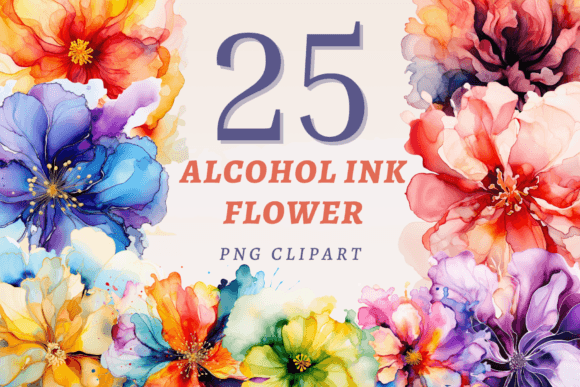
Alcohol Ink Flower PNG Bundle
See the listing ↗From the collection Flower PNG & Illustrations. New Creative Fabrica members get 10 free downloads, and any of these can be one of them.
JPG: Small Files, No Transparency
JPEG is, in MDN's words, the most widely used lossy compression format for still images. Lossy means some detail is thrown away to make the file small, and each re-save can throw away a little more. MDN adds that this compression can give unsatisfactory results on content that needs sharp edges, which includes fine petal outlines and text.
The decisive point for clipart: JPEG does not support an alpha channel. A flower saved as JPG always sits on a solid rectangle, usually white. That is fine for a full-page background or a finished card design, but it rules JPG out for elements you want to layer.
Use JPG for photographs, full-bleed backgrounds and finished designs you share online. Keep the PNG as your working file.

SVG: Scalable Outlines and Cut Files
SVG is an XML-based vector format maintained by the W3C. The Library of Congress format description points out something many crafters miss: an SVG can contain three kinds of objects, vector shapes, text and raster images. So an "SVG" of a watercolor bouquet may simply be a pixel image wrapped in an SVG file. It will not scale any better than the PNG it contains.
True vector SVGs are the right choice for:
- Cutting machines, where the machine follows the vector outline
- Line-art and single-color flowers that you want to recolor
- Designs printed very large, such as wall decals
Canva accepts SVG uploads under 3 MB, saved as SVG 1.1, and its download guide notes that SVG keeps quality at any size. Our mushroom and plant collection includes a cactus set listed as both SVG and PNG, which is handy if you want to cut one version and print the other. Black-and-white line sets are also worth a look for cutting and recoloring.

Cute Cactus Clipart, Cactus Svg Png
See the listing ↗
Cactus Clipart Stickers BW
See the listing ↗
Southwestern Cactus Clipart
See the listing ↗From the collection Mushroom & Plant Clipart. New Creative Fabrica members get 10 free downloads, and any of these can be one of them.
EPS: The Print Shop Format
Encapsulated PostScript was developed by Adobe in the late 1980s, according to the Library of Congress, to place illustrations into documents for printing. It suits vector graphics, or vector graphics mixed with raster data, and has long been used for high-resolution and large-scale printing. A typical EPS also carries a low-resolution preview image so other programs can show a thumbnail.
For a hobby designer, EPS matters mainly when a printer or a vector program such as Illustrator asks for it. Canva's list of supported upload formats does not include EPS, so if you design in Canva, use the PNG or SVG version of a set instead.

Resolution: What 300 dpi Really Means
Strictly, a digital file has pixels per inch (ppi) and a printer lays down dots per inch (dpi), but in everyday use both words describe the same question: how many pixels will fill each inch of paper. Canva recommends uploading images at 300 DPI for print and exports its PDF Print files at 300 dpi; it exports PDF Standard at 96 dpi, which is screen quality.
The arithmetic is simple: pixels needed = print size in inches x 300.
| Print size | Pixels needed at 300 ppi |
|---|---|
| 2 x 2 in sticker | 600 x 600 px |
| 4 x 6 in photo card | 1200 x 1800 px |
| 5 x 7 in invitation | 1500 x 2100 px |
| 8 x 10 in print | 2400 x 3000 px |
| 8.5 x 11 in full page | 2550 x 3300 px |
Apply this to the element, not only the page. A flower that covers a third of the width of a 5 x 7 card needs to be about 500 pixels wide at that size. Clipart made for printing usually leaves room for this, but check the pixel size in the file properties before you plan a large print; a small web image saved from a browser rarely has enough.
Changing the dpi number in an image editor without adding pixels changes nothing about sharpness. Only the pixel count matters.
Which File to Use for Which Project
| Project | Best file | Why |
|---|---|---|
| Invitations and cards in Canva | PNG | Transparency, soft edges, easy layering |
| Stickers with Print Then Cut | PNG | The cutter traces the image outline |
| Cut vinyl or paper with a cutting machine | Vector SVG | The blade follows vector paths |
| Recoloring a line-art flower | Vector SVG | Fill colors stay editable |
| Photos and full backgrounds | JPG | Smallest file, no transparency needed |
| Files for an offset print shop | EPS, PDF or what the shop specifies | Vector and CMYK workflows |
If you are new to all this, start with PNG. The guide to using clipart in Canva shows how to upload and layer it, and the sticker guide covers how PNGs become cut lines. Before you sell anything you make, check the license as well; clipart licenses explained covers the usual limits.
Clipart for This Guide
 Flower PNG & Illustrations18 hand-picked · open the collection →
 Mushroom & Plant Clipart15 hand-picked · open the collection →